Colima, with a friendly face.
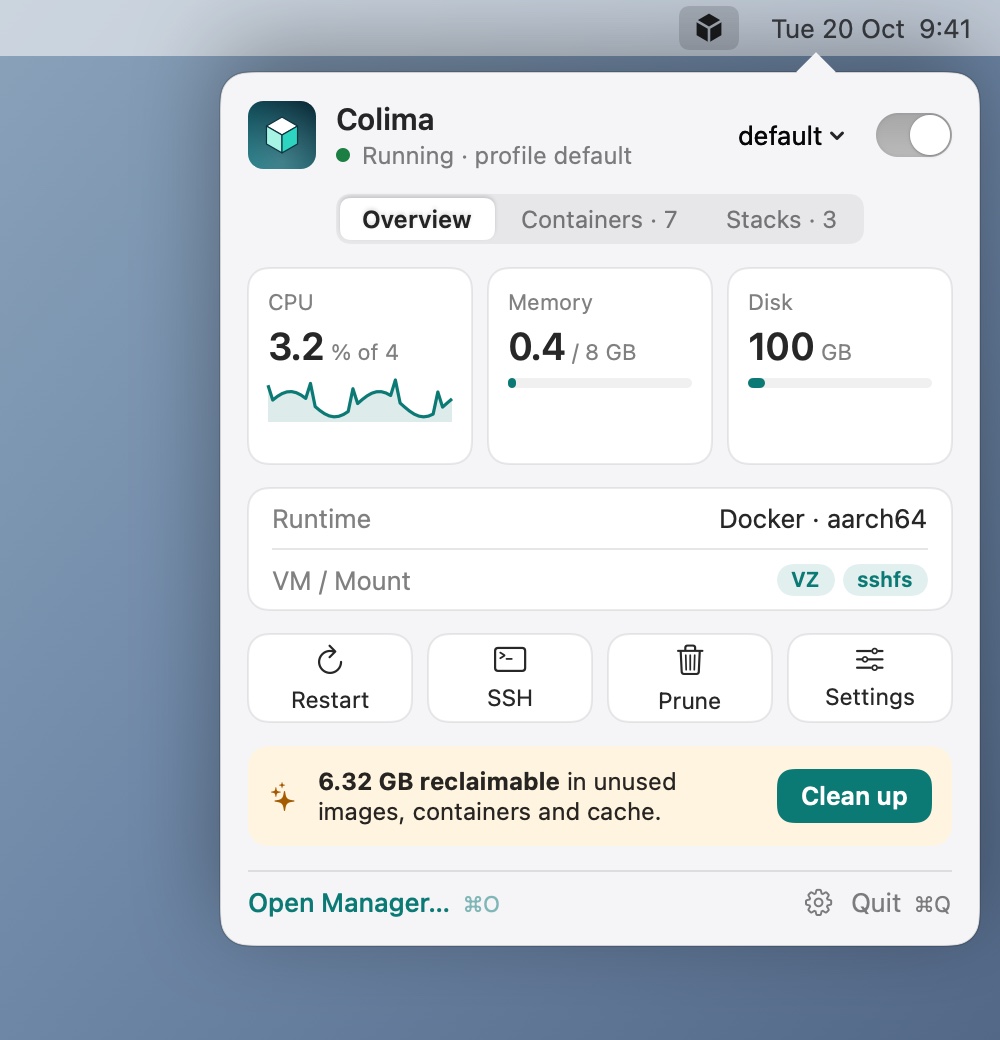
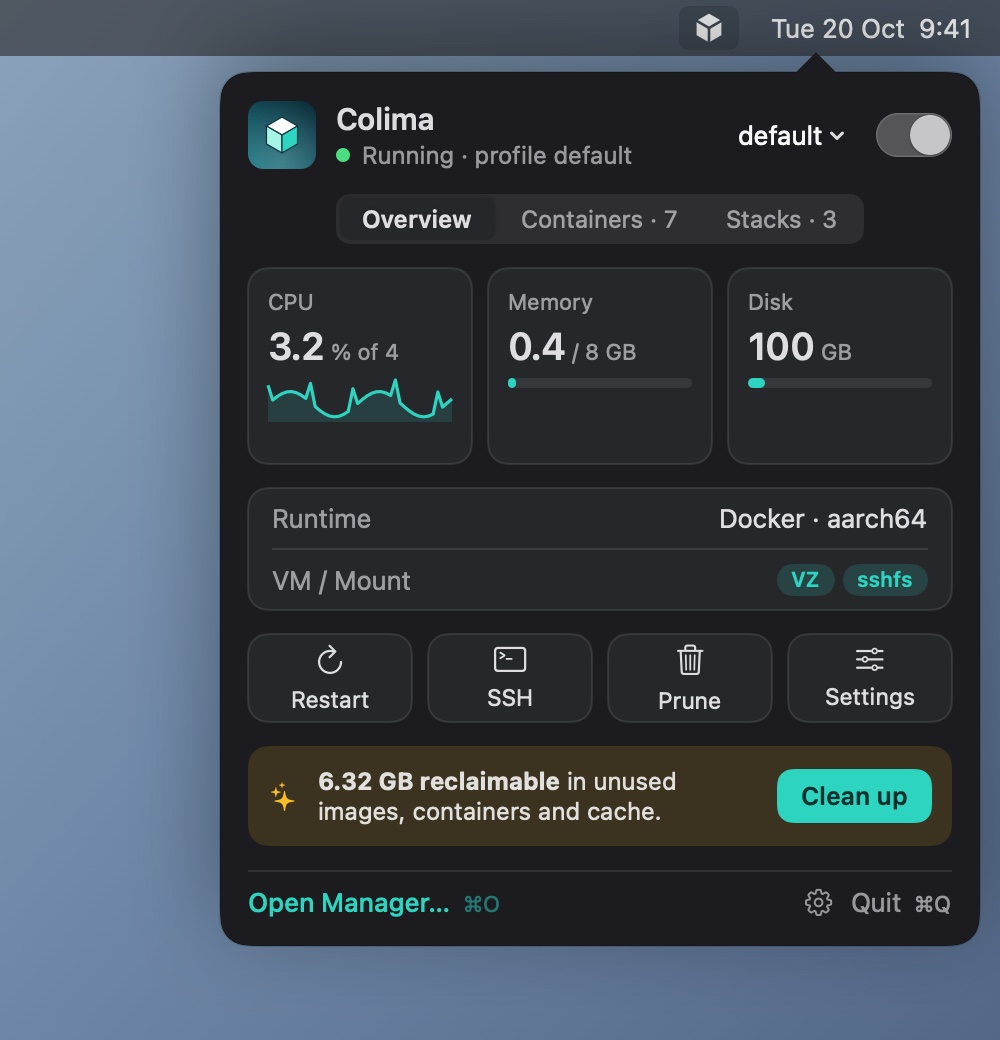
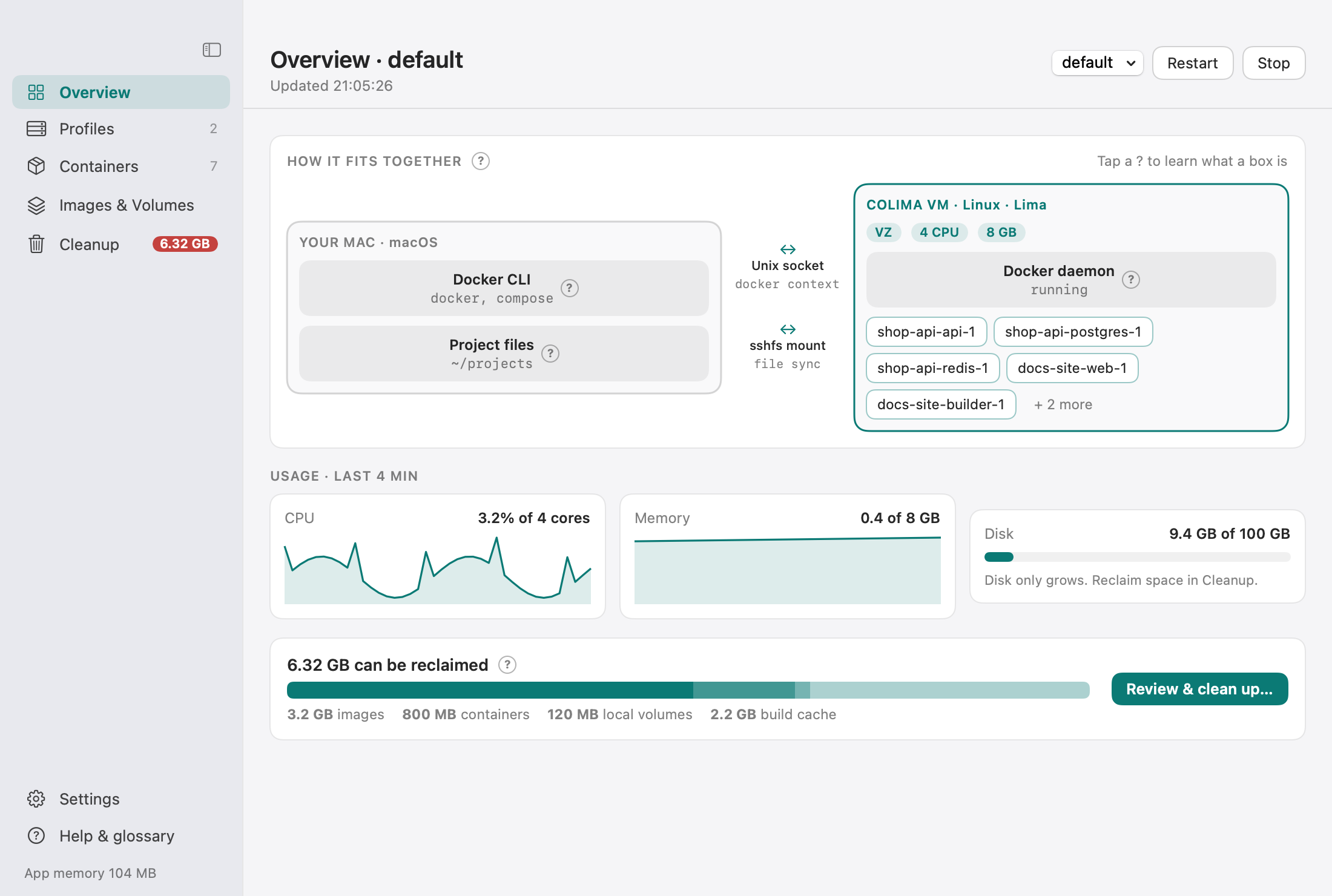
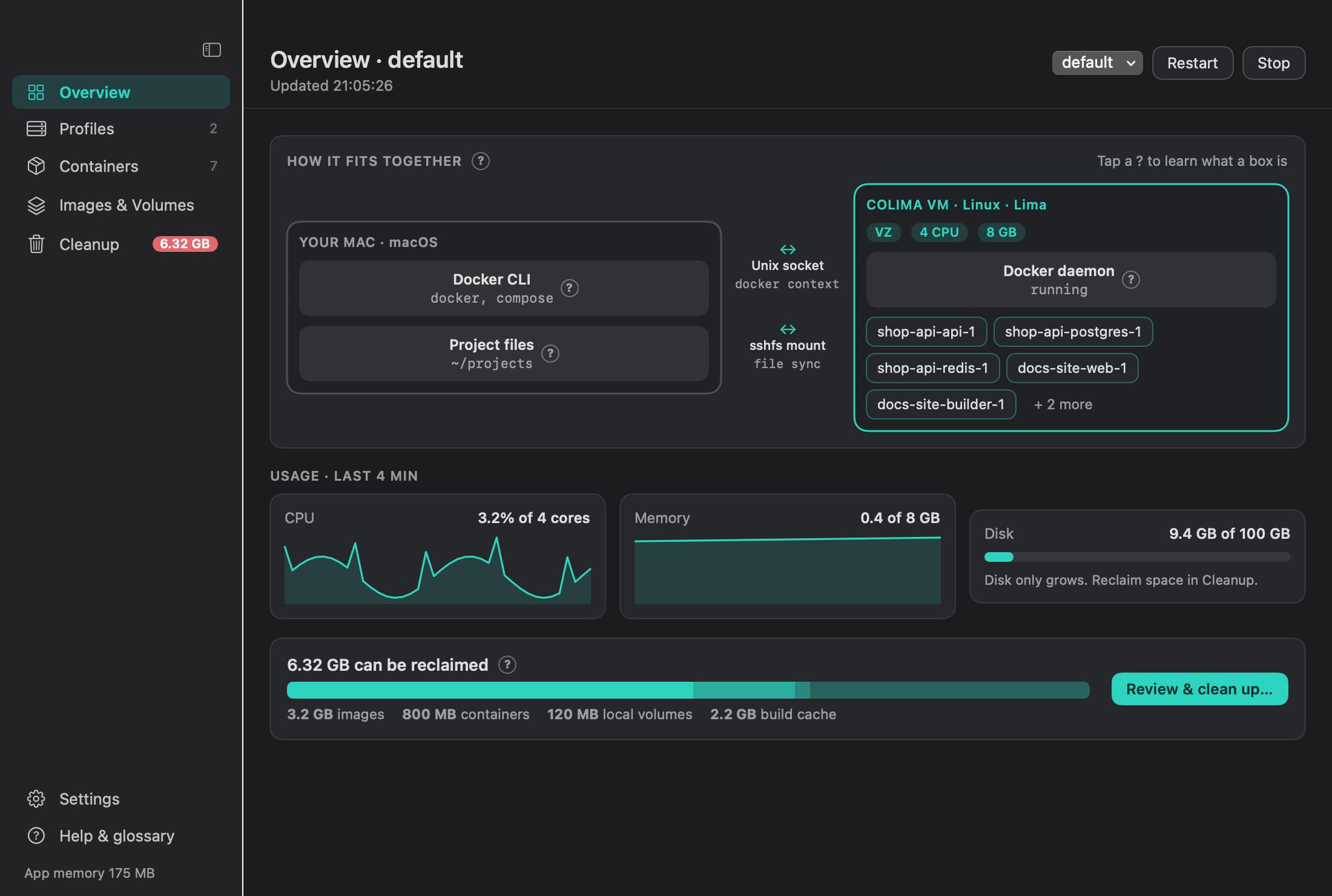
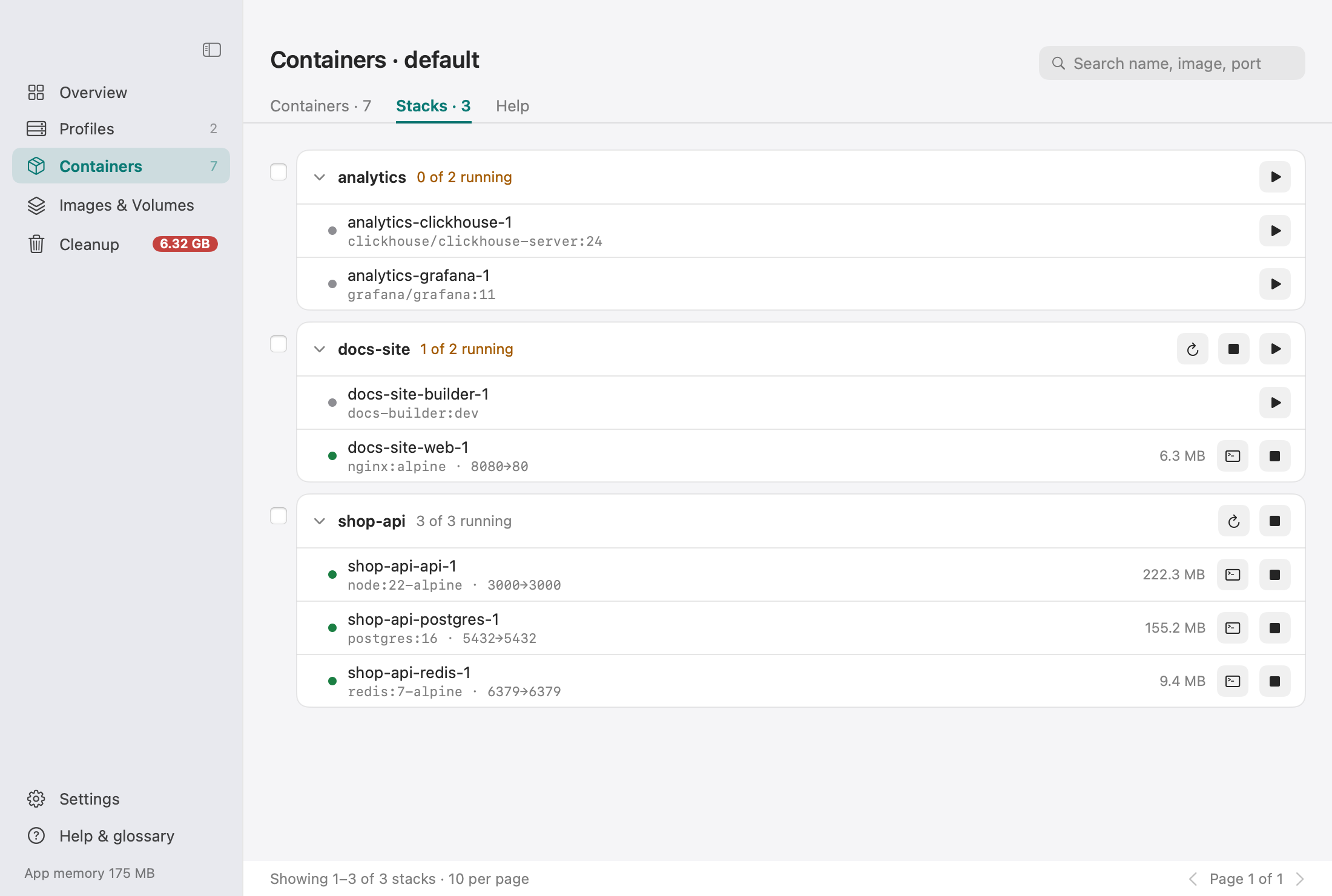
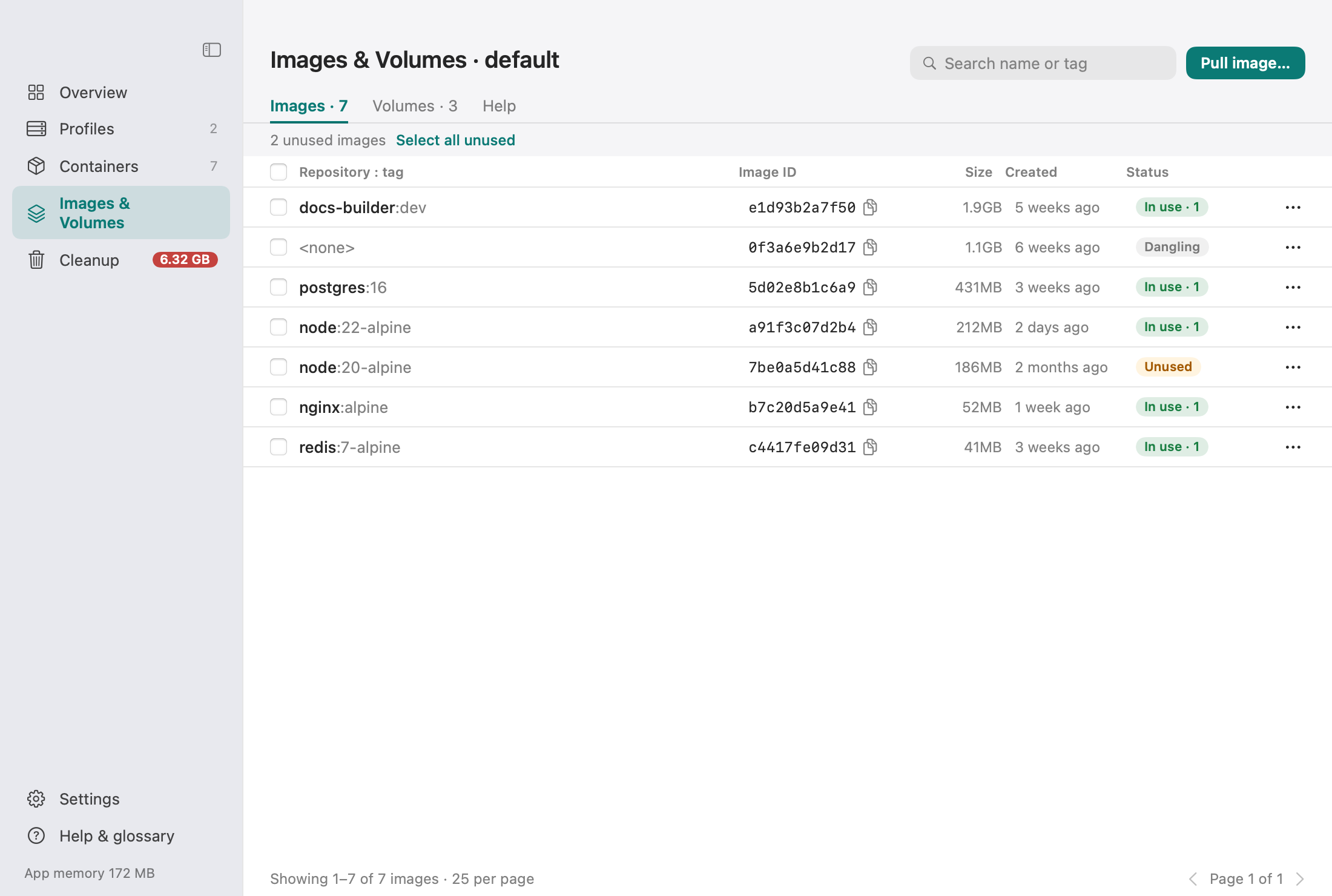
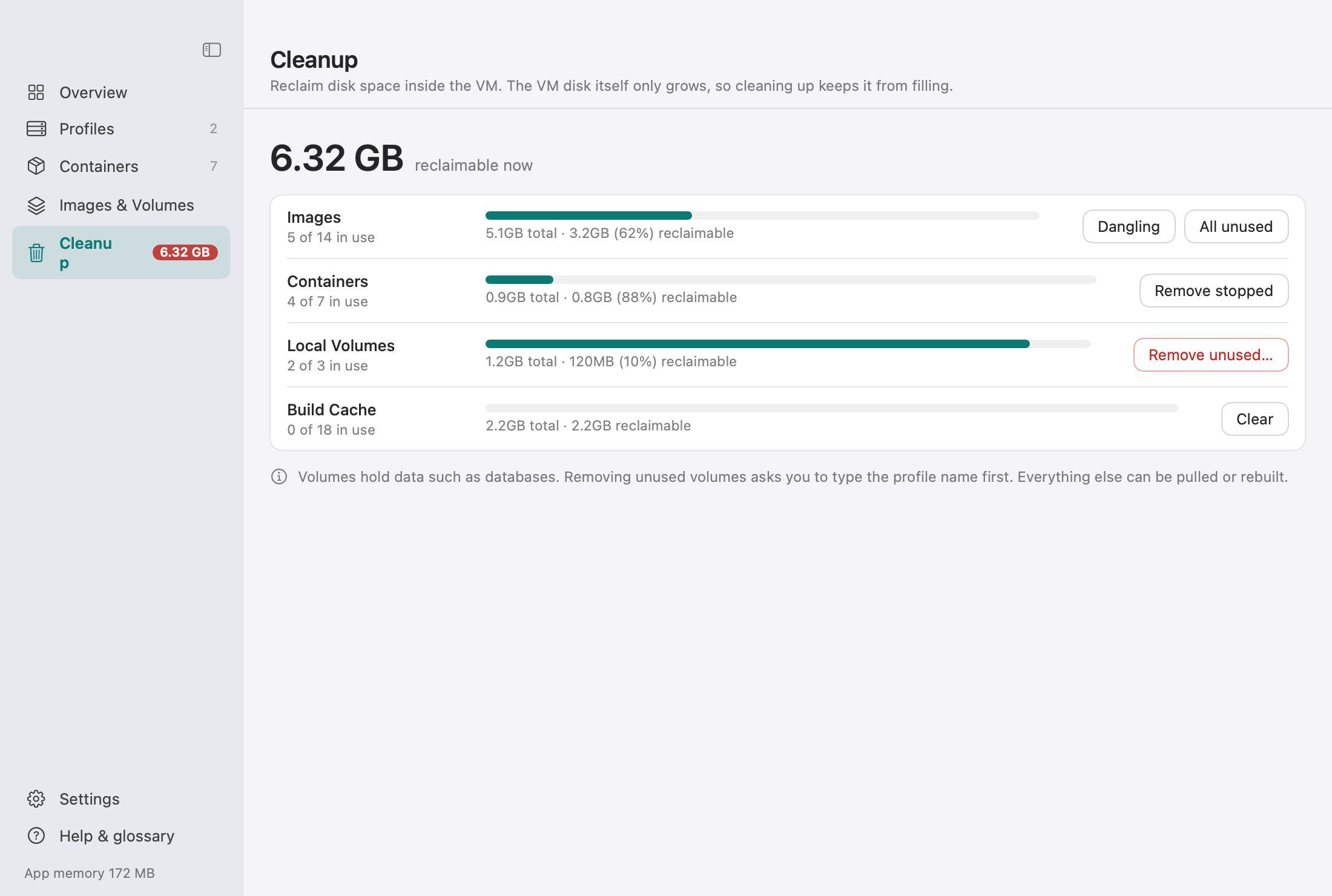
CDesk is a light, native macOS app that manages Colima and the Docker containers, Compose stacks, images and volumes inside it, from the menu bar or a full Manager window.
macOS 14+ · Apple silicon recommended · Apache-2.0 · about 40 MB of memory when idle
Why we made it
The problem
Docker Desktop is heavy. Colima is an excellent, lightweight alternative that runs a Linux VM through Lima, but it is command line only. Its best settings are easy to get wrong:
- Several settings are fixed when the VM is created, and changing them means deleting and recreating it.
- DNS can break after you switch Wi-Fi or connect to a VPN.
- Many people leave slow sshfs mounts in place for years.
What CDesk does
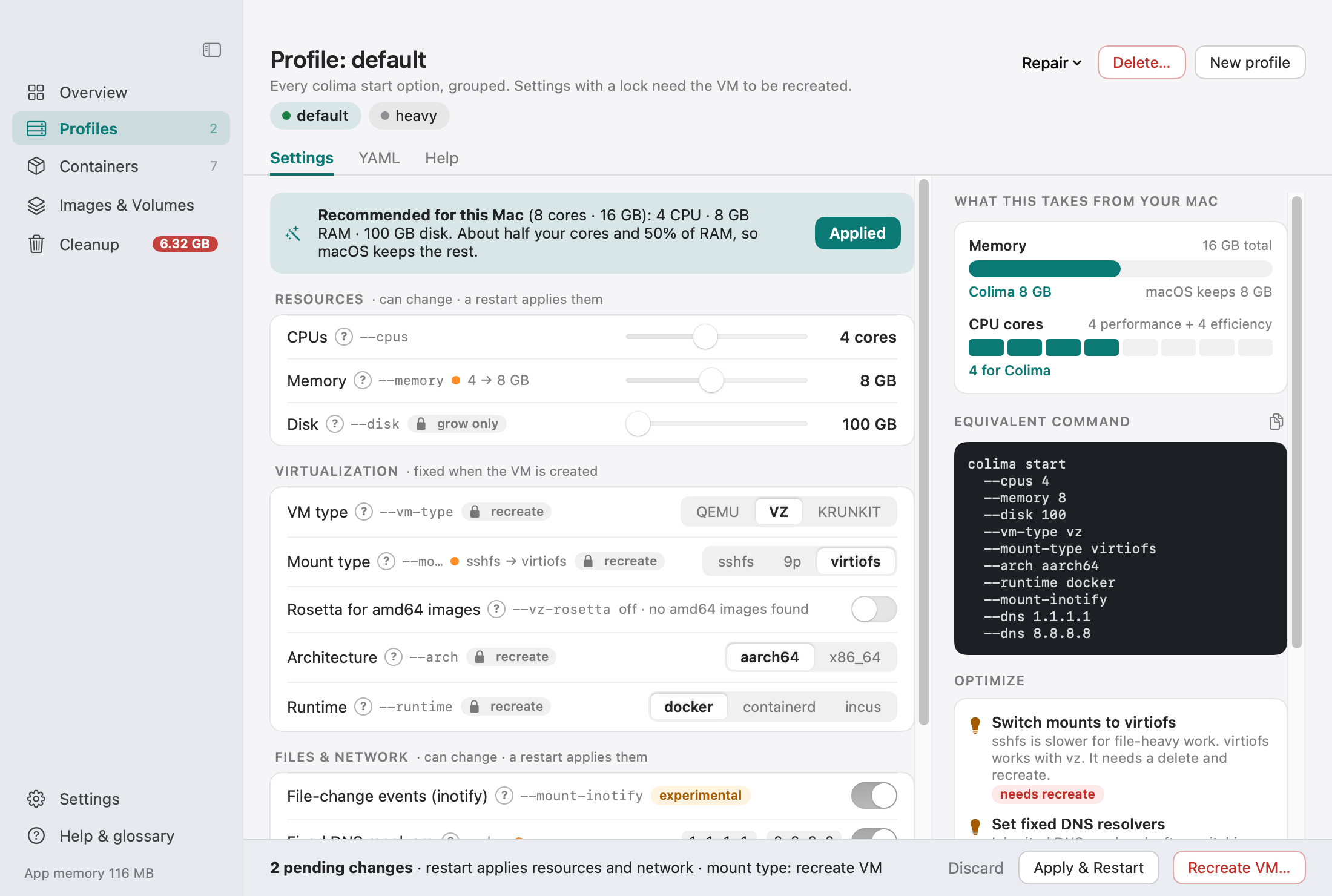
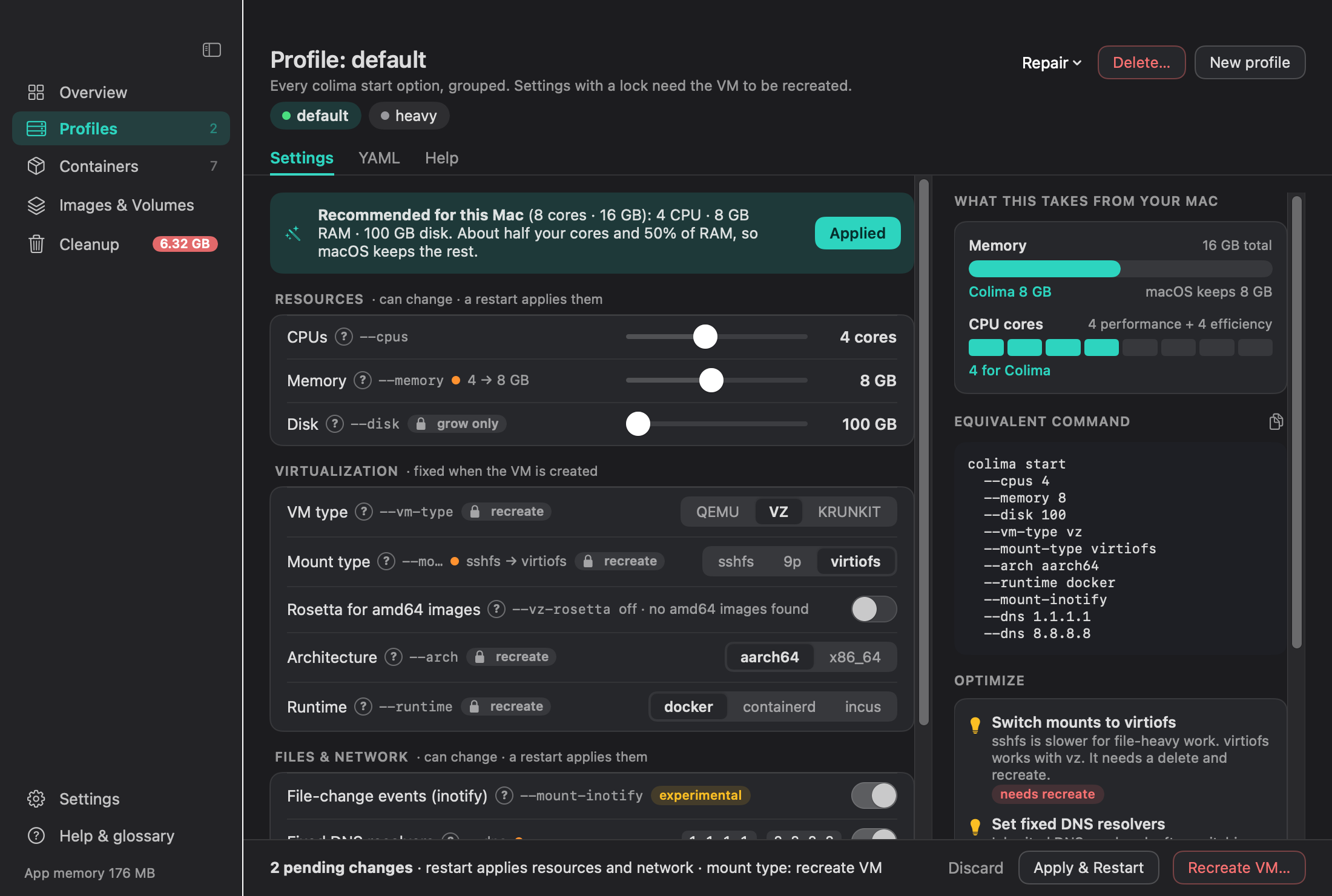
CDesk gives Colima a small, friendly UI and explains every option. It is tuned for performance and stability: sensible defaults for your Mac, locked settings clearly marked, and a guided flow for the changes that need a recreate.
Light by design
footprint)- Nothing is polled while the popover and the Manager window are both closed, so an idle app uses almost no CPU.
- While a window is visible, the refresh interval is 2, 5 or 15 seconds, your choice.
- Heavier data (images, volumes, disk usage) is only fetched when the Manager is open, and at most every 20 seconds.
- Manager window views are destroyed when it closes, and popover views are released when it closes.
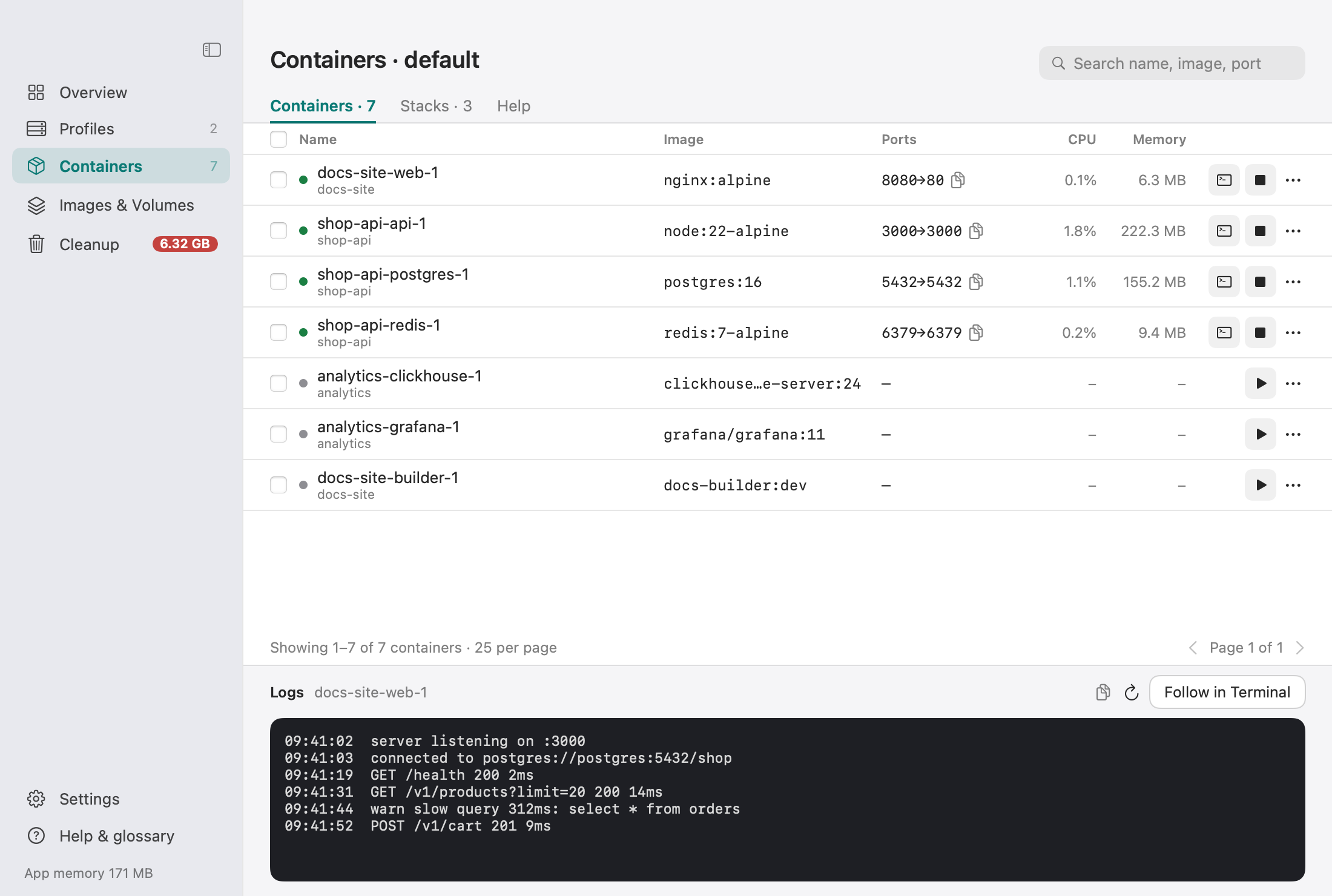
- Lists are paginated (25 per page) and searchable, so nothing loads everything at once.
- Pages show loading skeletons and appear fully loaded.
- Long tasks (start, recreate, pull, prune) run in the background with progress and a macOS notification.
- Shells are handed to your own Terminal.app or iTerm2 instead of an embedded terminal, which keeps CDesk light and uses your own shell setup.
- Only one instance can run. The update check runs at most once a day, at launch.
Optimised for performance and stability
CDesk does not just show Colima’s options. It nudges you to the settings that make Colima fast and reliable on your Mac, and tells you plainly when a change needs a restart or a full recreate.
- vz instead of qemu on Apple silicon: faster start, less energy, and it unlocks virtiofs and Rosetta.
- virtiofs mounts instead of sshfs or 9p: usually much faster for
npm installand builds. - A starting size for your Mac: about half your CPU cores and RAM, detected for you. Adjust it to your workload.
- Fixed DNS (1.1.1.1 and 8.8.8.8) so Wi-Fi switches and VPNs do not break the VM.
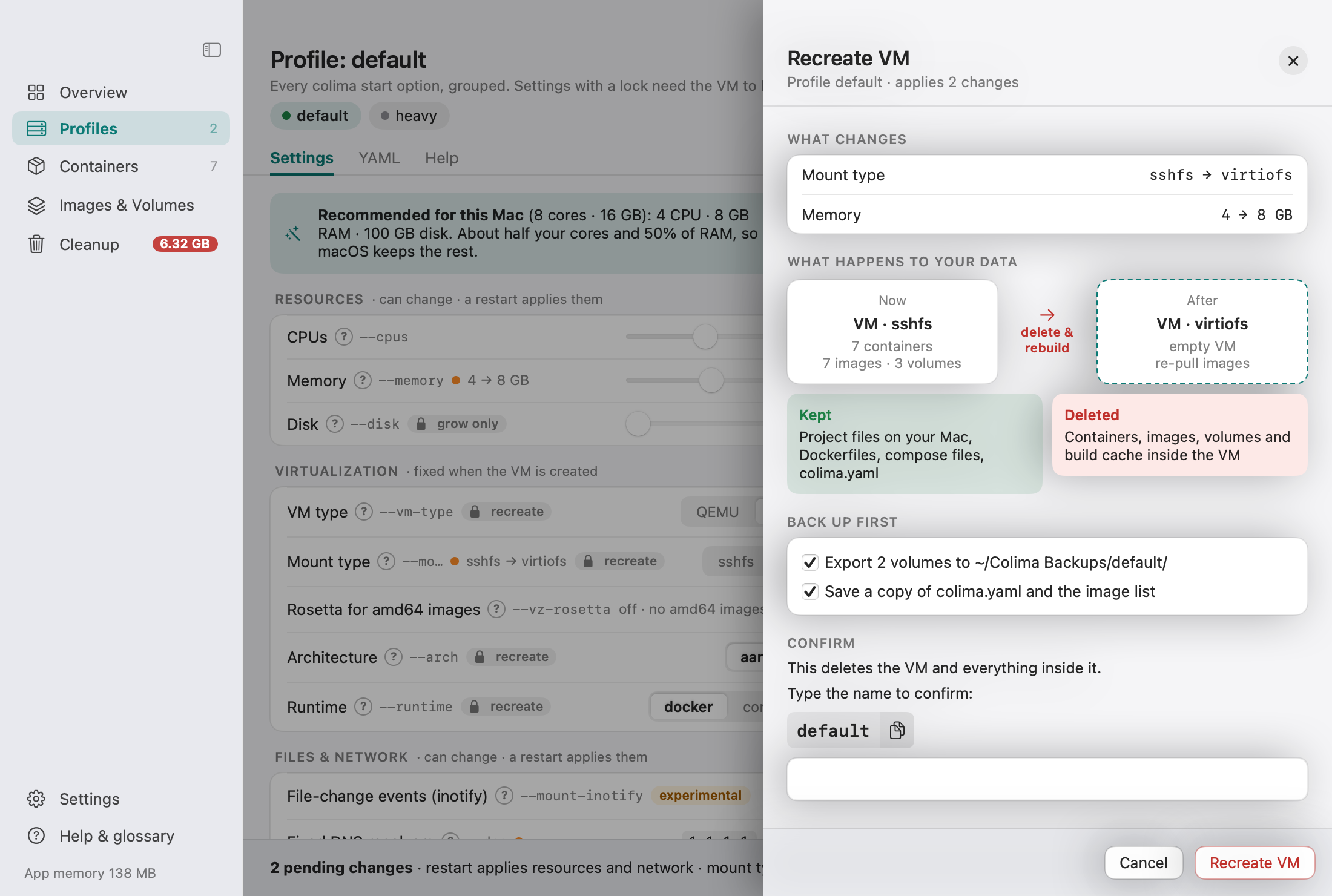
- A lock badge on settings fixed at creation, and a safe “Recreate VM” flow with backups.
A look around
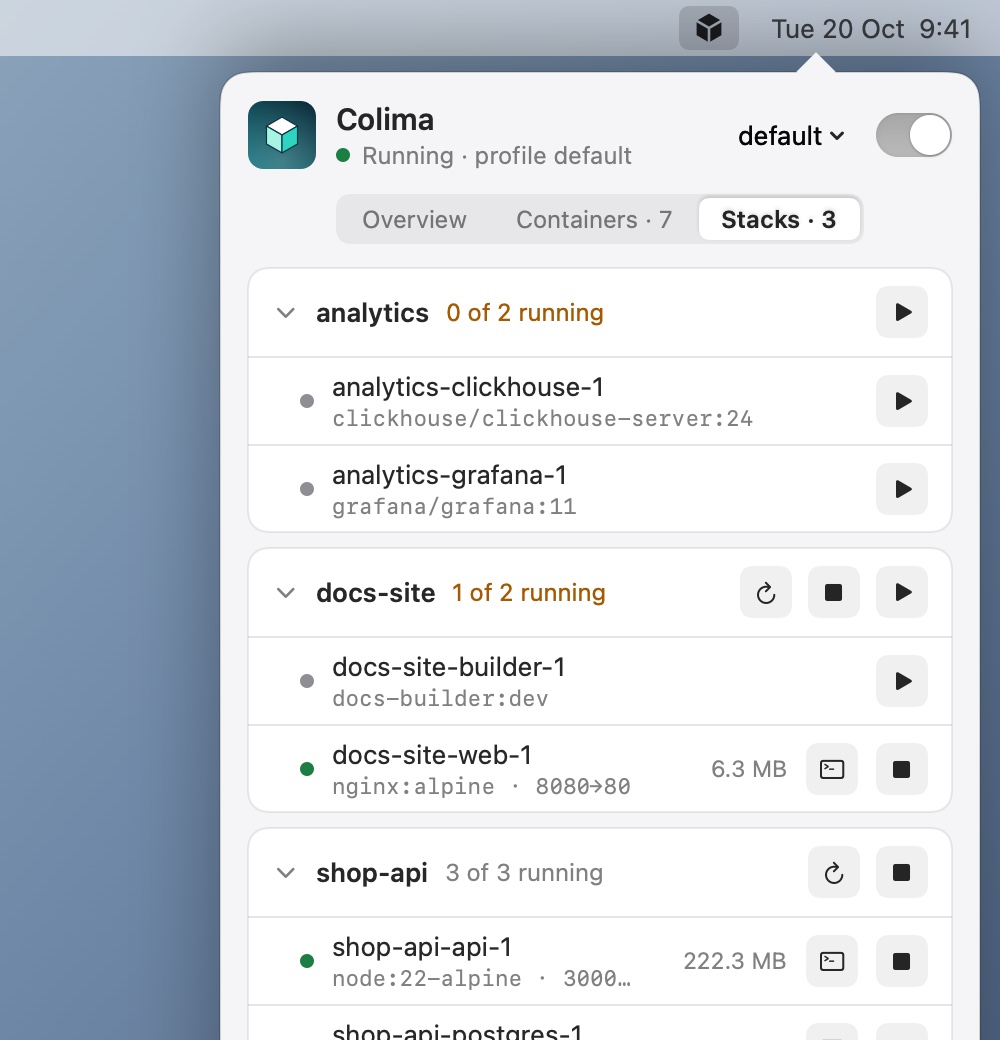
Built for agents too
The app bundle includes cdesk-mcp, a stdio Model Context Protocol server. It works even when the app is not open. Agents such as Claude Code can list profiles, ask for a recommended size, start Colima, manage containers and read logs. Destructive tools require an explicit confirmation.
Install in one minute
You need macOS 14 or later. Run the installer; on first launch CDesk checks for Homebrew, Colima and the Docker CLI, installs whatever is missing and creates a first profile sized for your Mac.
curl -fsSL https://raw.githubusercontent.com/kalahroudi/cdesk/main/scripts/install.sh | bashThe installer downloads the latest release, verifies its SHA-256, installs CDesk to /Applications and opens it. A cube icon appears in the menu bar and the Dock. Full install guide
FAQ
Is CDesk affiliated with Colima?
No. Colima is made by Abiosoft. CDesk is an independent app that drives the colima and docker command line tools.
Does it replace the CLI?
No. It sits on top of it. The “Equivalent command” box shows the exact colima start ... flags for the current form, and your ~/.colima/<profile>/colima.yaml stays a normal file you can edit and keep in your dotfiles.
Does it work with Docker Desktop installed?
CDesk talks to Colima and to the Docker context named colima (or colima-<profile>). Switching contexts is one click in Settings, and the Repair menu can re-register the Colima context if something else took over.
Does it work on Intel Macs?
CDesk requires macOS 14 or later. Apple silicon is recommended, because the vz virtual machine type, virtiofs and Rosetta suggestions are aimed at it.
Where is my data?
Your containers, images and volumes live inside the Colima VM, as they would without CDesk. CDesk keeps its own preferences under defaults (com.kalahroudi.cdesk) and in ~/Library/Application Support/CDesk. Backups made before a recreate go to ~/Colima Backups/<profile>/.
What does Recreate delete?
Recreating deletes the VM and builds a new one, which removes the containers, images and volumes inside it. The Recreate VM sheet shows exactly what is kept and what is deleted, offers to export your volumes, saves colima.yaml and your image list to ~/Colima Backups/<profile>/, and requires you to type the profile name.